# 🏆 Packs Produits

{% hint style="info" %}
Version 1.0.0
{% endhint %}

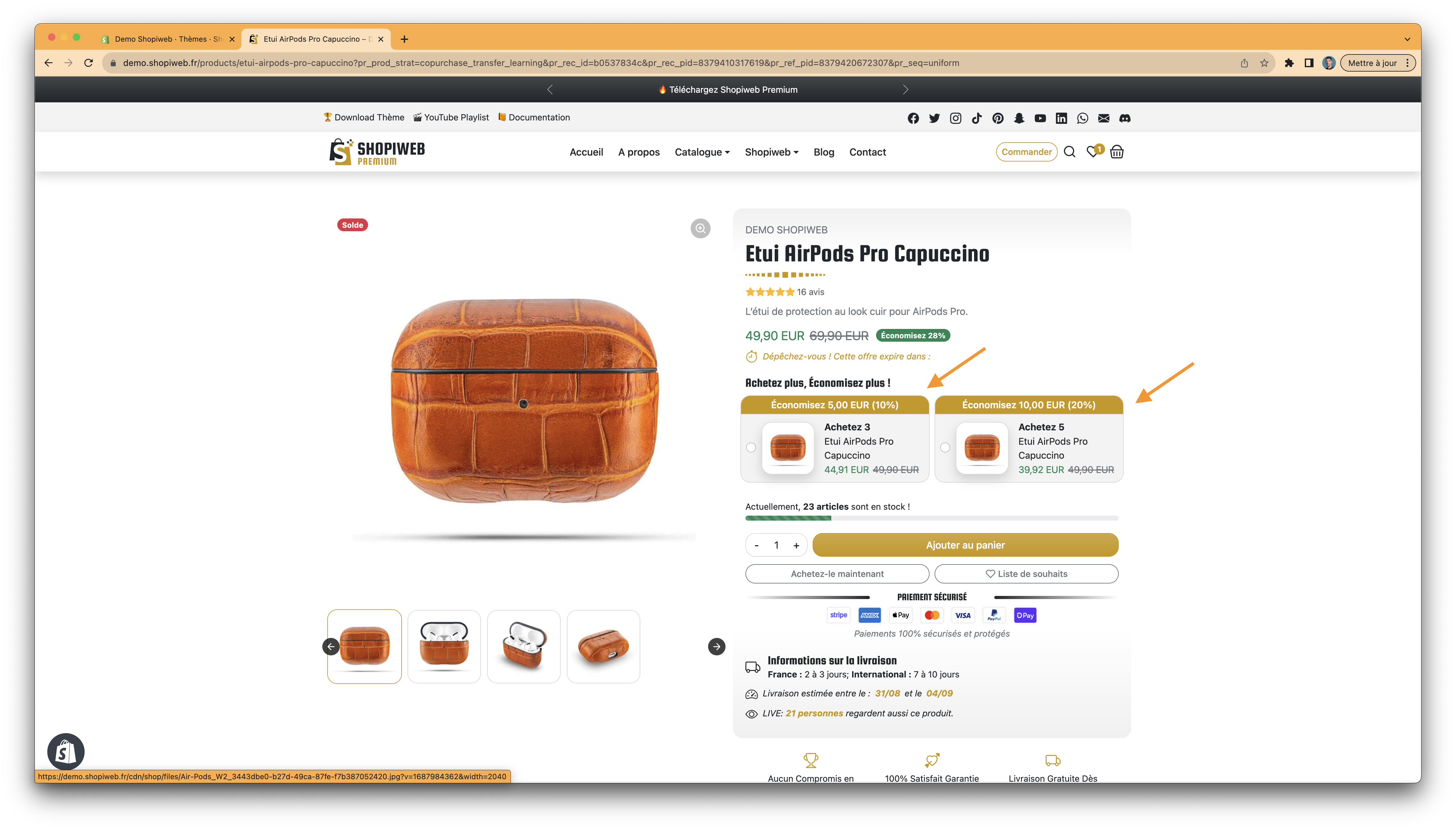
Un pack produit quantité dans Shopiweb fait référence à une offre où plusieurs produits sont regroupés en une seule unité de vente. Au lieu d'acheter chaque produit individuellement, les clients ont la possibilité d'acheter un pack contenant plusieurs quantités de ces produits.

Cette fonctionnalité est utile lorsque vous souhaitez vendre des produits en vrac ou proposer des offres groupées à vos clients. Par exemple, vous pouvez créer un pack produit quantité comprenant trois t-shirts de couleurs différentes à un prix réduit par rapport à l'achat de ces t-shirts séparément.

<figure><img src="/files/ScpAjaVGvCYkn7layXHY" alt=""><figcaption><p>Pack Produit Quantité Shopiweb Premium</p></figcaption></figure>

### ETAPE 1

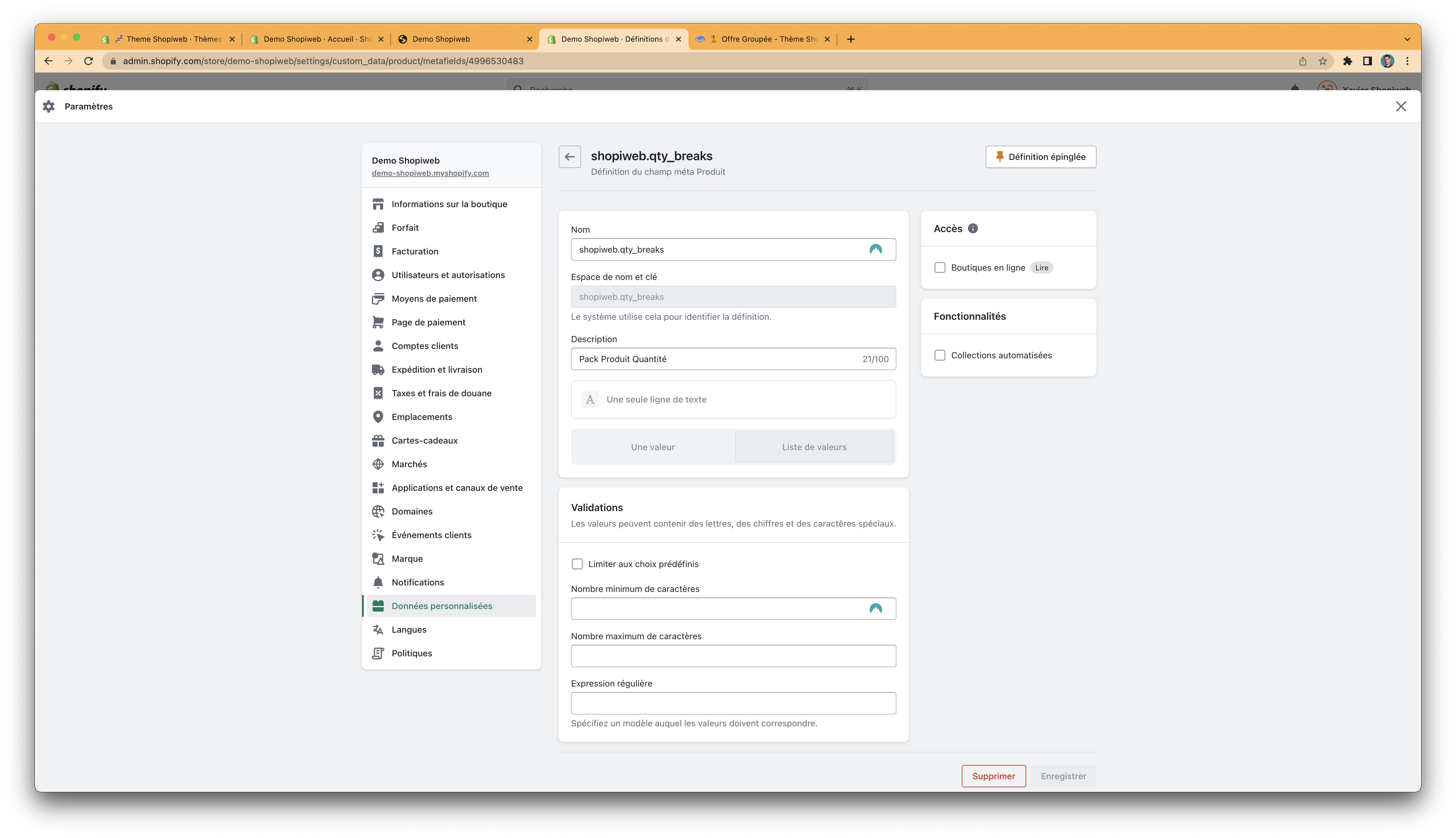
<figure><img src="/files/tMumj6xysKlE9xhBNd5M" alt=""><figcaption><p>Définition du champ méta Produit</p></figcaption></figure>

### ETAPE 2

<figure><img src="/files/pYmOIMab45XFIn3mc5cj" alt=""><figcaption><p>Metafield pour le Pack Produit Quantité</p></figcaption></figure>

<table><thead><tr><th>Définition</th><th>Résultat</th><th data-hidden></th></tr></thead><tbody><tr><td>Nom</td><td>Pack Produit par Quantité</td><td></td></tr><tr><td>Espace de nom et clé</td><td>shopiweb.qty_breaks</td><td></td></tr><tr><td>Description</td><td>Définition de packs de produits selon les quantités pour offres groupées Shopiweb.</td><td></td></tr><tr><td>Sélectionner le type</td><td>Une seule ligne de texte</td><td></td></tr><tr><td>Choix</td><td>Liste de valeurs</td><td></td></tr></tbody></table>

### ETAPE 3

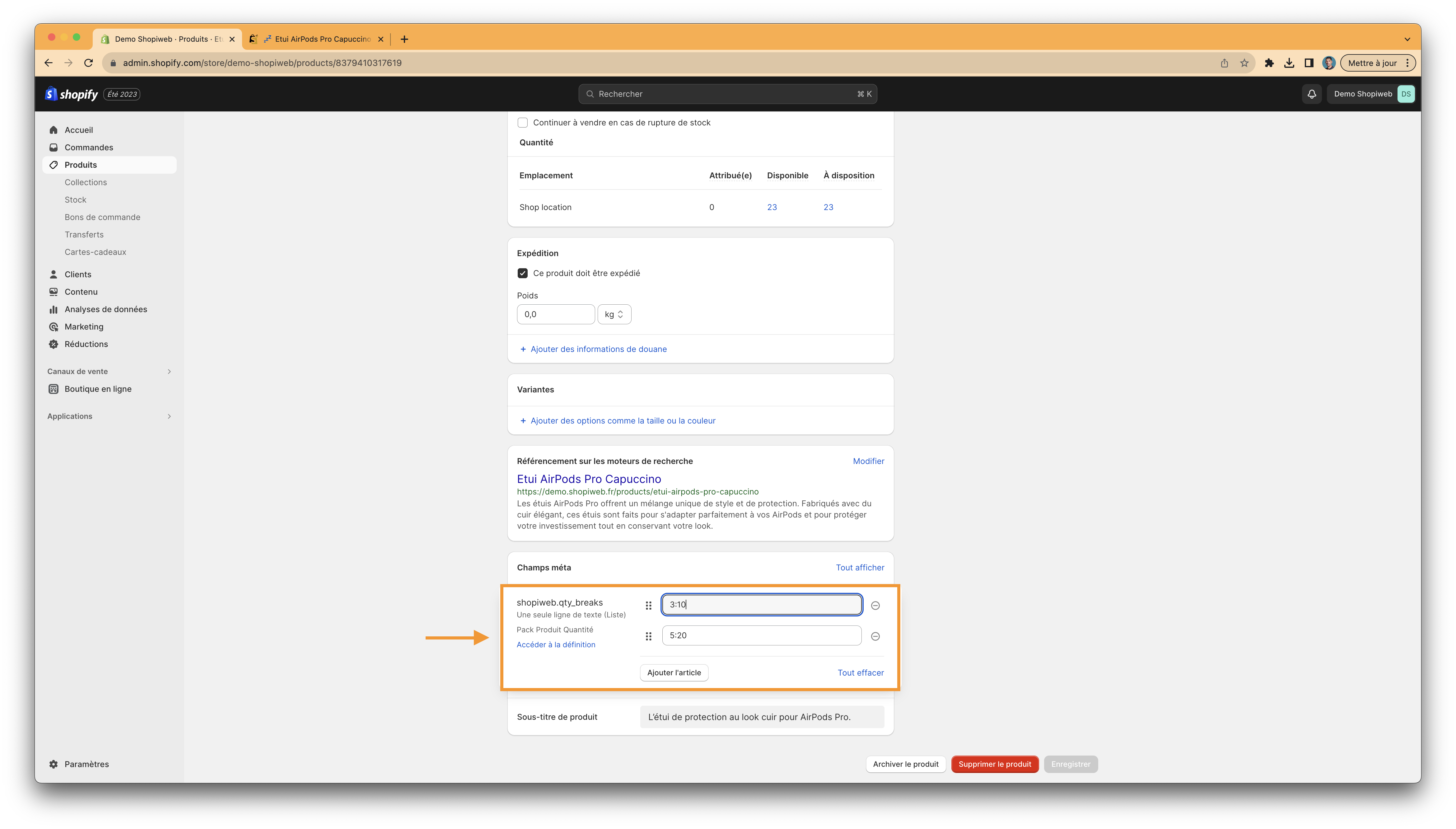
<figure><img src="/files/GaPH7RbhrvGH2y4dJZTr" alt=""><figcaption><p>Sélection de la quantité et de la remise</p></figcaption></figure>

{% hint style="info" %}
**Dans l'exemple ci-dessus :**&#x20;

**3:10** est égal à quantité 3 remise 10%

**5:20** est égal à quantité 5 remise 20%
{% endhint %}

### ETAPE 4

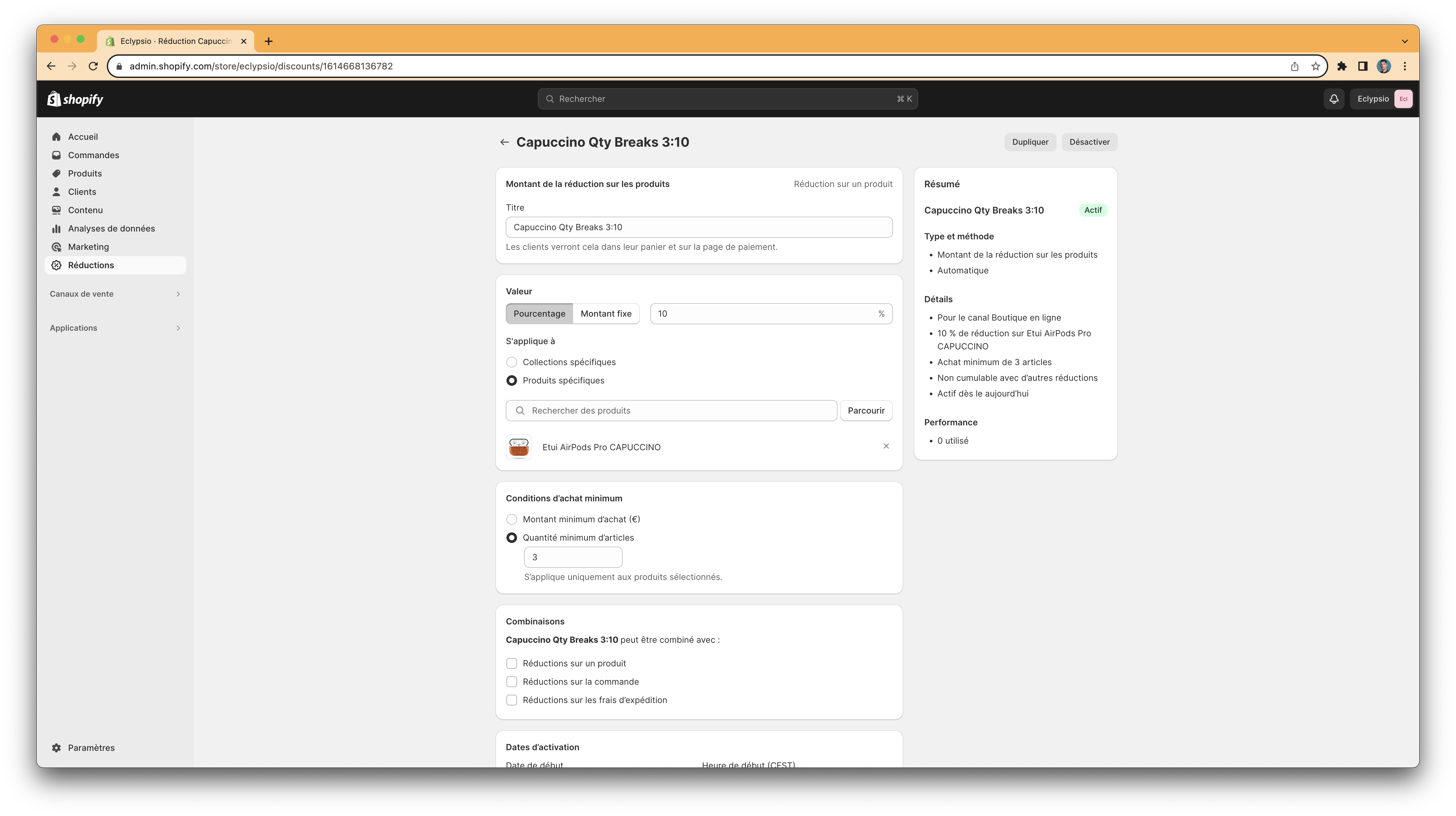
Créer une réduction Shopify pour chaque remise. **Exemple pour 3:10**

<figure><img src="/files/dp3kAMR0Gjjkun7rJWzd" alt=""><figcaption><p>Réductions Shopify</p></figcaption></figure>

### ETAPE 5

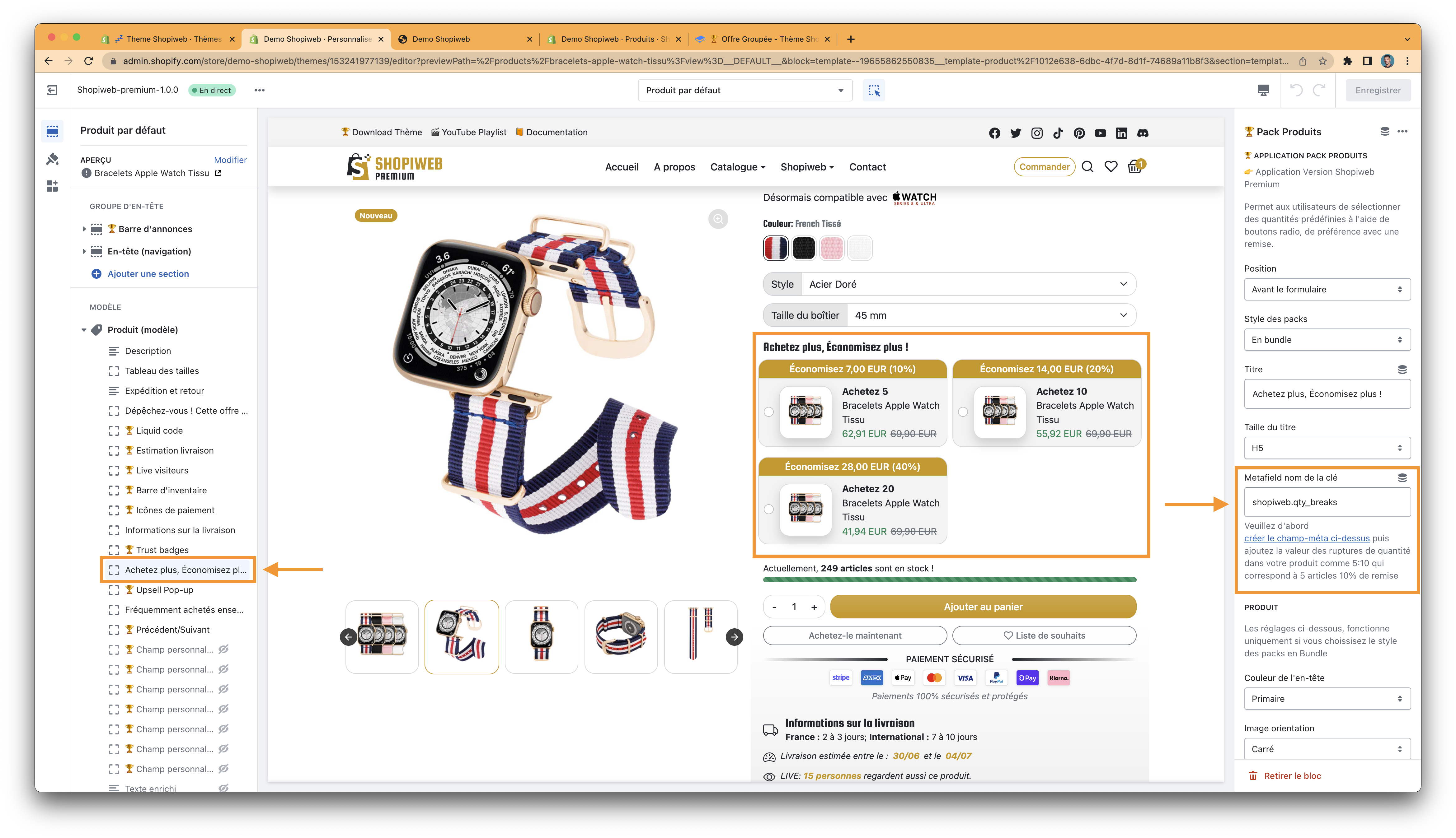
Vérifier que le champ méta nom de la clé corresponde bien à 👉 shopiweb.qty\_breaks

<figure><img src="/files/vUqH92uAZ6J4jWVUxA1P" alt=""><figcaption><p>Réglage Pack Produit Quantité</p></figcaption></figure>

### ETAPE 6

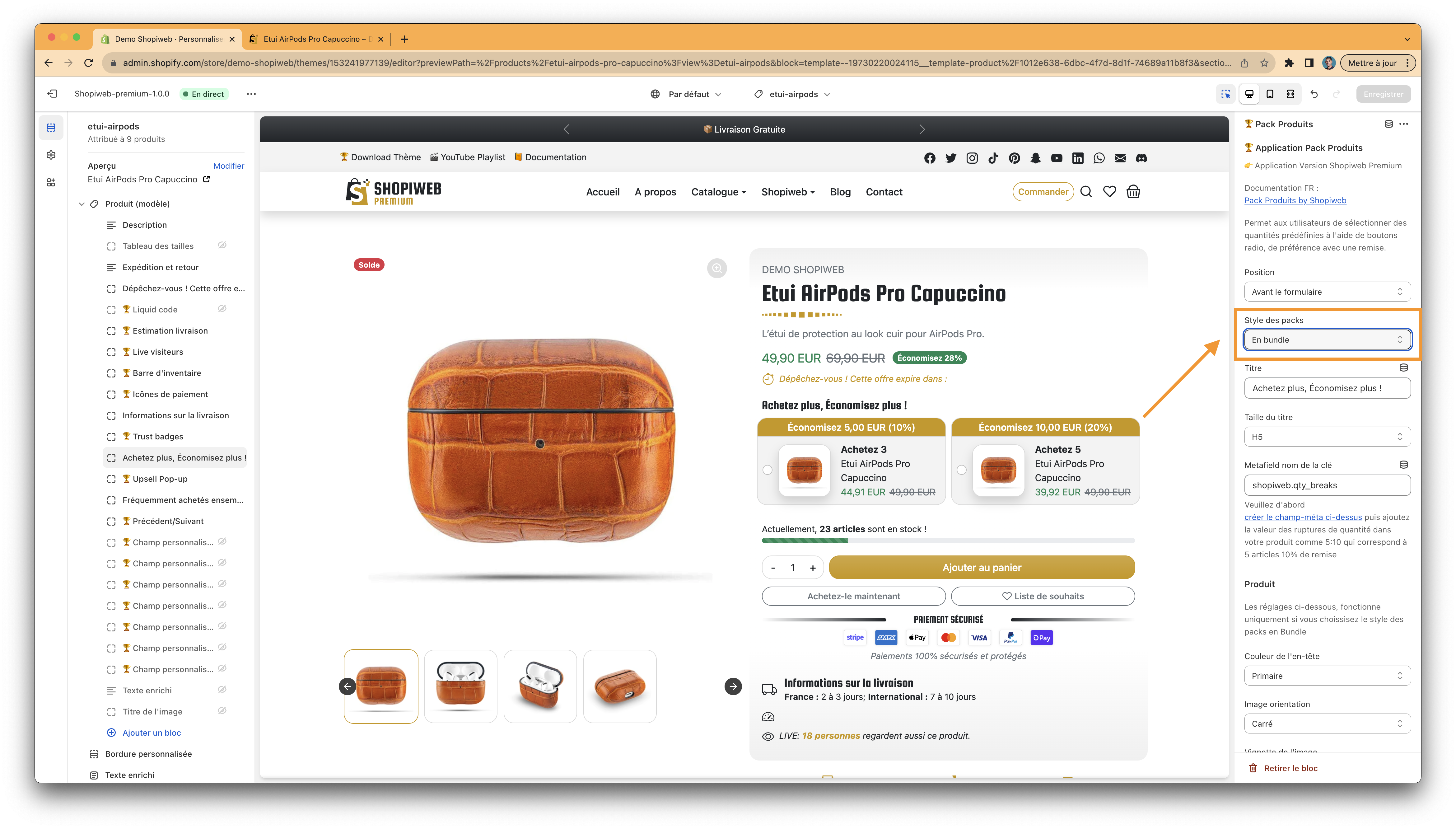
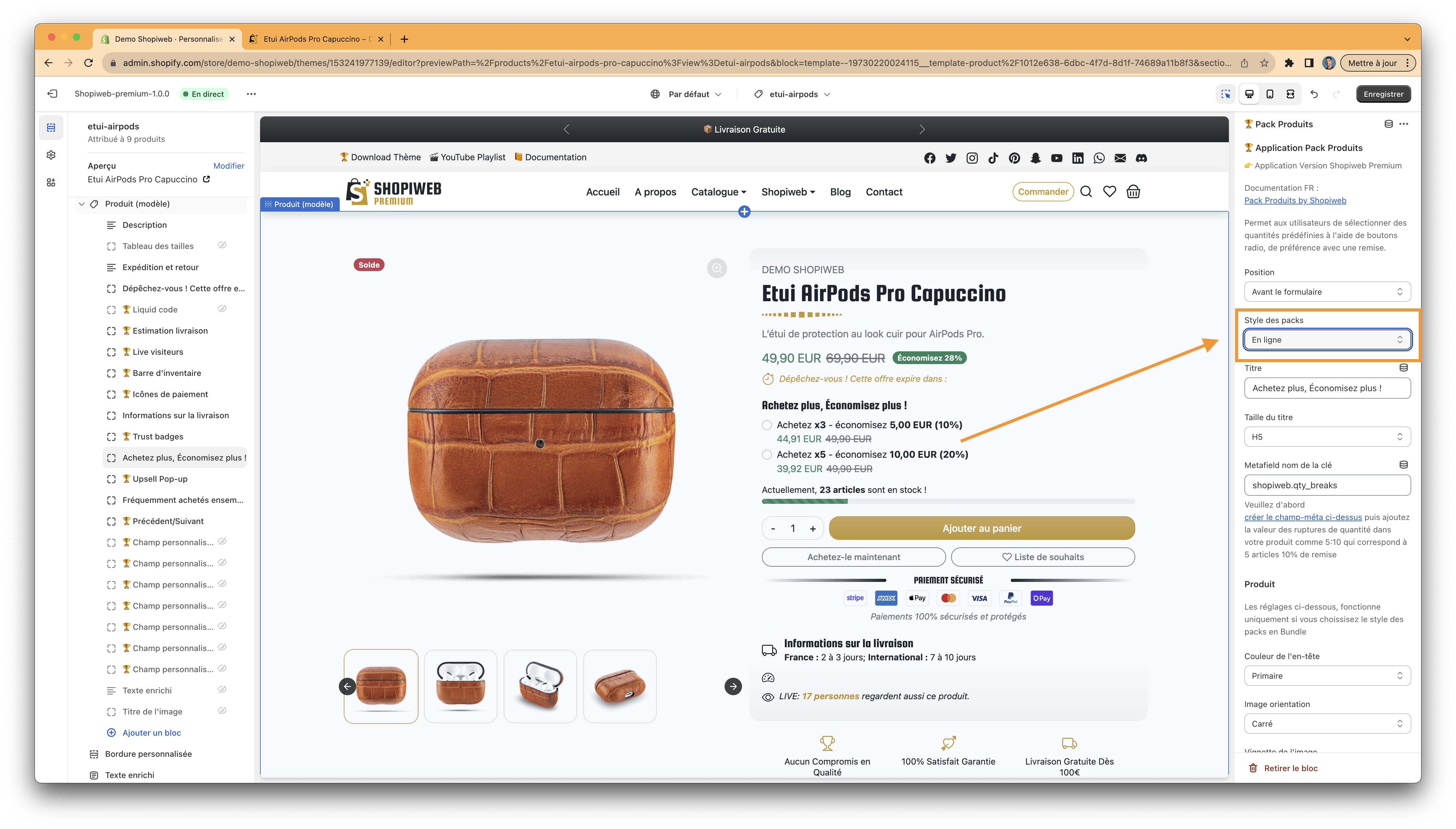
Choisissez le style des packs

<figure><img src="/files/6z9iPpUrkYN1GrpeMpeL" alt=""><figcaption><p>Choix du style des packs en CARTES</p></figcaption></figure>

ou

<figure><img src="/files/v42IKUZE43Scn8are8z2" alt=""><figcaption><p>Choix du style des packs en LIGNES</p></figcaption></figure>


---

# Agent Instructions: Querying This Documentation

If you need additional information that is not directly available in this page, you can query the documentation dynamically by asking a question.

Perform an HTTP GET request on the current page URL with the `ask` query parameter:

```
GET https://www.docs.shopiweb.fr/theme-premium/documentation/page-produit/produit-modele/packs-produits.md?ask=<question>
```

The question should be specific, self-contained, and written in natural language.
The response will contain a direct answer to the question and relevant excerpts and sources from the documentation.

Use this mechanism when the answer is not explicitly present in the current page, you need clarification or additional context, or you want to retrieve related documentation sections.