> For the complete documentation index, see [llms.txt](https://www.docs.shopiweb.fr/theme-premium/llms.txt). Markdown versions of documentation pages are available by appending `.md` to page URLs; this page is available as [Markdown](https://www.docs.shopiweb.fr/theme-premium/pour-commencer/installation-de-shopiweb-premium.md).
# Installation de Shopiweb Premium
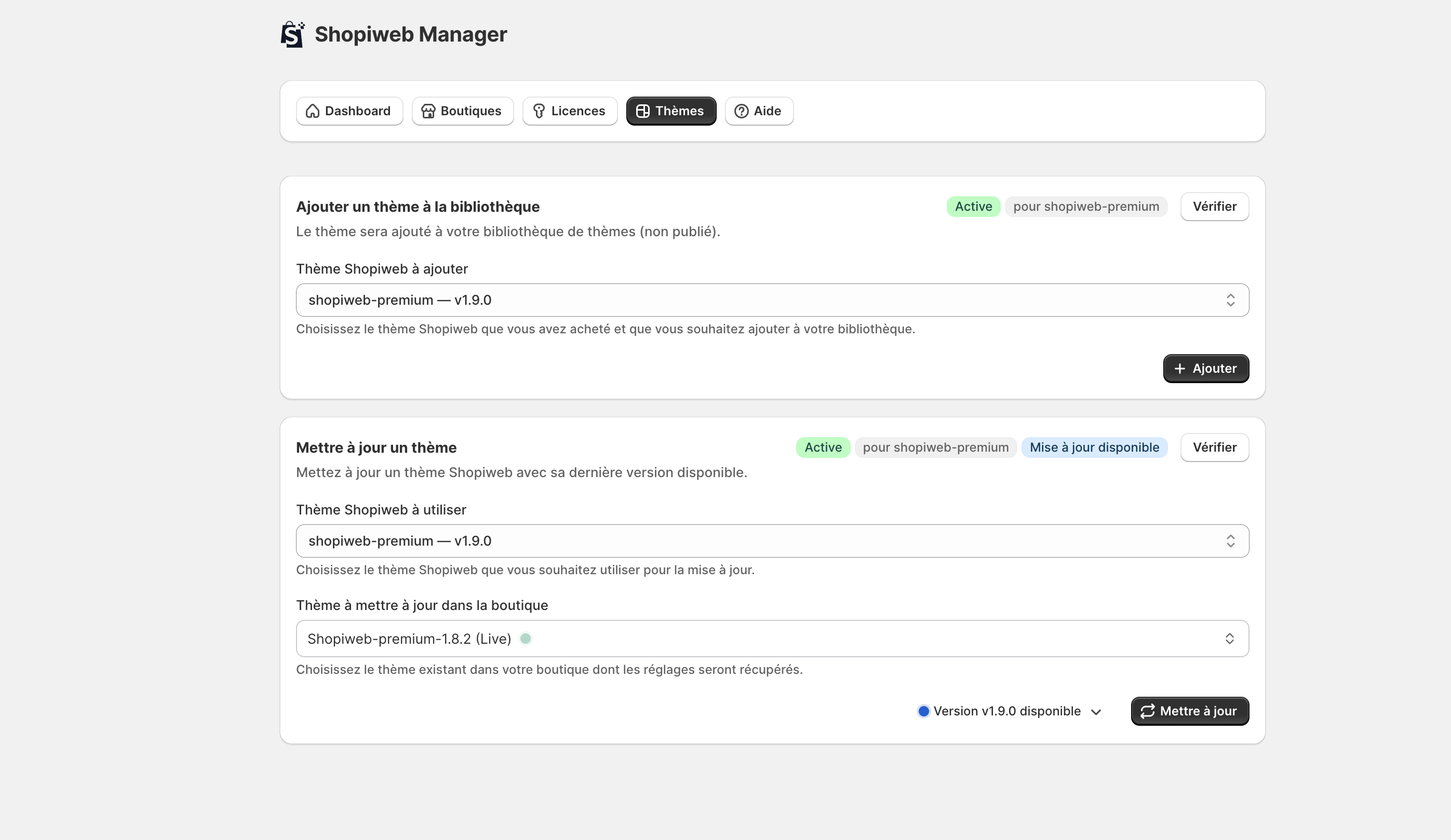
Une fois l’application Shopiweb Manager installée et votre licence activée, vous pouvez installer Shopiweb Premium sur votre boutique Shopify.
L’installation se fait directement depuis Shopiweb Manager, en quelques clics.
{% stepper %}
{% step %}
### Étape 1 — Accéder à l’onglet Thèmes
1. Connectez-vous à Shopify
2. Ouvrez l’application **Shopiweb Manager**
3. Cliquez sur la rubrique **Thèmes**
📌 Cet onglet est disponible uniquement après activation de votre licence.
***
{% endstep %}
{% step %}
### Étape 2 — Installer Shopiweb Premium
Dans l’onglet Thèmes :
* Cliquez sur **Ajouter**
* L’installation se lance automatiquement sur votre boutique
Une fois terminé, le thème apparaît dans votre bibliothèque Shopify.
***
{% endstep %}
{% step %}
### Étape 3 — Publier le thème dans Shopify
Après installation :
1. Allez dans **Boutique en ligne → Thèmes**
2. Repérez Shopiweb Premium dans la liste
3. Cliquez sur **Actions → Publier**
Shopiweb Premium devient alors le thème actif de votre boutique.
{% endstep %}
{% endstepper %}
***
#### Besoin d'aide ?
Si vous rencontrez un problème lors de l’installation, notre support est disponible :
📩